
Blog
40 Meetings a Week, Zero Bots on the Call — How Granola Became Our Silent AI Knowledge Base
We run an average of 20 client meetings every week at Startup Miracle.
Discovery calls. Demos. Strategy sessions. Onboarding walkthroughs. Check-ins with existing clients. Vendor calls with the platforms we deploy like Vapi, ElevenLabs, Retell. Partner meetings at Area Centre in Miami. Internal agent standups between Claude, Codex, Hermes, and Aitana.
Every one of those conversations contains signal. Pain points. Objections. Workflow gaps. The exact language a South Florida contractor uses when they describe losing leads after 7 PM. The compliance question a law firm partner asks before they trust an agent with intake.
For 18 months, that signal lived in my head and died on the drive home.
Not anymore.
Here is how Granola became our silent knowledge base, why no bot ever joins a call, and what happens when your meeting notes become your company\u2019s second brain.
The Problem With Bot-Based Notetakers
Before Granola, we tried every AI notetaker on the market.
Every single one joins the call as a visible participant. Some announce themselves with a recording notification. Others lurk silently in the attendee list with a bot avatar. Clients see them. They adjust what they say. The signal degrades.
There is a second problem: full transcripts are noise.
A 45-minute discovery call generates 8,000 words. The CFO\u2019s offhand comment about a tool they already use gets the same weight as the decision to move forward with an AI Assessment. The signal is buried in the volume. You spend more time searching the transcript than you did in the meeting.
Granola solved both problems with a different architecture.
What Granola Actually Does
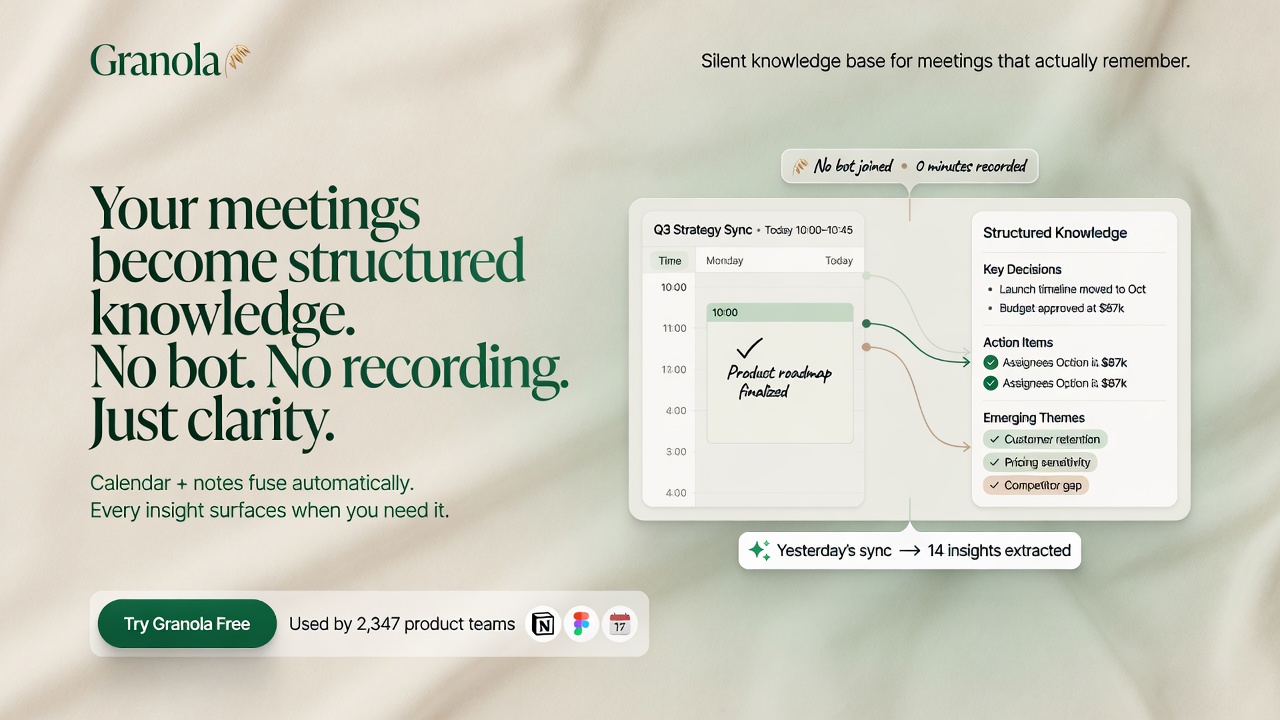
Granola is an AI notepad that runs on your laptop. It captures device audio \u2014 no bot joins the call, no recording announcement, no visible participant. It works on Zoom, Google Meet, Microsoft Teams, Slack Huddles, FaceTime, and even in-person conversations.
The workflow is four steps and takes about five minutes to learn:
Step 1 \u2014 Connect your calendar. Granola syncs with Google or Microsoft Calendar. It automatically detects every meeting with 2-plus attendees and prepares a Brief \u2014 who is attending, what you discussed last time, and what matters now. The Brief shows up one minute before the call.
Step 2 \u2014 Jot rough notes during the meeting. This is the key insight. You do not need to transcribe everything. Just write what matters. \u201cPricing concerns.\u201d \u201cWants WhatsApp + SMS for follow-up.\u201d \u201cCompetitor evaluation next week.\u201d Type nothing? You get a generic summary. Type focused bullets? The AI finds every relevant transcript excerpt and adds them as gray text beneath your note. Your judgment stays in the driver\u2019s seat.
Step 3 \u2014 Let AI enhance after the call. Click \u201cEnhance notes.\u201d In seconds, the AI merges your rough bullets with context from the full transcript. Your notes stay in black text. AI additions appear in gray. You always know what you wrote versus what the machine inferred. You can ask follow-up questions using Granola Chat \u2014 \u201cWhat were their top three concerns?\u201d \u2014 and get answers with inline citations back to the exact transcript moment.
Step 4 \u2014 Edit, share, and export. Review the gray-text additions (takes under a minute). Share a link with the attendees. Push into Notion, HubSpot, or Slack via Zapier. Add to a shared folder for your team.
The Business plan costs $14 per user per month, includes unlimited history, and connects to over 8,000 apps through Zapier.
The Self-Learning Loop
Here is where Granola goes from a note taker to a knowledge base for us.
Every client meeting produces a structured note with pain points, objections, industry language, and workflow gaps. Those notes sync into our shared knowledge layer. Every week, a bi-weekly automated process reads those notes, categorizes the pain points by type \u2014 missed calls, slow response, admin overload, bilingual gaps \u2014 and appends them to a customer pain points document.
That document is what feeds our content machine.
When I sit down to write a blog post about why HVAC contractors in Pembroke Pines lose $126,000 a year to missed calls, I am not guessing the pain point. I am pulling it from a knowledge base built from 18 months of actual client conversations. The language is real. The objections are real. The pricing objections are real.
When we publish an article about law firm intake, the $132 cost per lead data point is not a generic stat \u2014 it is validated against what our own client intake conversations reveal about the South Florida legal market.
This is the self-learning loop:
Client meeting \u2192 Granola captures notes \u2192 Knowledge base categorizes pain points \u2192 Blog content machine writes articles \u2192 Clients read articles \u2192 Clients book calls \u2192 Repeat.
No AI tool vendor can replicate this. It depends on having an actual operating practice that runs 40 meetings a week and ships real sales systems for real businesses.
What It Learned From 1,200+ Meetings
After 18 months of Granola data, here is what 1,200-plus recorded meetings have taught us:
The top three pain points across every vertical are always the same. Missed calls after hours. Slow lead response during business hours. No system for bilingual follow-up in Spanish and English. The specific phrasing changes by industry \u2014 a roofer says \u201cI can\u2019t answer the phone when I\u2019m on the roof,\u201d a lawyer says \u201cmy intake person leaves at 5\u201d \u2014 but the underlying revenue leak is identical.
Most business owners already know what is broken, but they do not know what to do about it. They are not looking for education. They are looking for a system that handles it so they do not have to think about it. Every meeting note has a moment where the owner says \u201cjust tell me what to set up and I will pay for it.\u201d
The pricing question is never about the monthly cost. It is about the switching cost. \u201cI have a phone system. I have a website. I have a Customer Relationship Management (CRM) I barely use. Do I have to rip all of this out?\u201d The answer \u2014 no, we layer on top \u2014 is the single most important message in every first call. Granola caught that pattern in month two and it has shaped every article and every demo since.
Why This Matters for Your Business
You do not need Granola to replicate this system.
You need a way to capture client conversations without putting a bot in the room. You need a process to extract signal from those conversations on a regular cadence \u2014 not once a quarter, not when you remember, but on a scheduled loop. And you need to feed that signal into whatever creates your content, trains your sales team, or shapes your product.
The tool is almost irrelevant. The loop is what matters.
Most businesses run on assumptions about what their customers need. We run on what 1,200 meetings actually said.
That is a hard advantage to beat.
The Tech Stack Behind It
- Capture: Granola Business ($14/user/mo) on Javier\u2019s MacBook
- Storage: Granola\u2019s cloud with SOC 2 Type 2 certification and GDPR compliance \u2014 meeting audio is transcribed locally and immediately deleted
- Knowledge layer: Internal document that the bi-weekly process appends categorized pain points to
- Content machine: Claude + Codex + Hermes read the knowledge document, plot the topic matrix, and publish daily articles
- Distribution: Postiz schedules the repurposed assets \u2014 X threads, LinkedIn posts, carousels
The entire stack costs less than $200 per month. The output is a published article every single day, each grounded in real client conversations.
For the operations team reading this: the same loop applies. A system that captures, categorizes, and acts on client signal changes how you build, not just how you write.
The Granola Difference Summarized
| Feature | Bot-based notetaker | Granola |
|---|---|---|
| Joins call as participant | Yes | No |
| Announces recording | Usually | Never |
| Audio storage | External server | Local, then deleted |
| Platform support | Zoom, Meet, Teams | Any audio \u2014 even in-person |
| Output | Full transcript (8,000 words) | Enhanced rough notes |
| User control over signal | None | You write structure, AI adds detail |
| Pre-meeting context | None | Brief: attendees, past notes, context |
FAQ
Do clients ever ask about the AI on the call? No. Granola does not join the meeting, does not announce itself, and does not appear in the attendee list. It captures audio from the laptop\u2019s device audio stream. Clients cannot see it so they do not think about it.
Does Granola work with in-person meetings? Yes. The Mac and Windows apps have a mobile companion that lets you capture in-person conversations \u2014 coffee meetings, conference hallway chats, workshop table discussions \u2014 with a single tap from the lock screen.
Can Granola handle Spanish conversations? Yes. Granola supports multi-language transcription and note enhancement. For a South Florida business running calls in Spanglish with Cuban American and Venezuelan contractors, this is essential.
Do you need to review every note? You should. The gray-text AI additions take under a minute to verify. After 1,200 meetings, I can tell you the AI is accurate on factual summaries but occasionally makes confident errors on specific names or product versions. The review step is non-negotiable.
Can you search across all past meeting notes? Yes. Granola Chat lets you ask questions across your entire note history. \u201cWhat did the roofing contractor in Pembroke Pines say about pricing?\u201d \u2014 the AI searches every note and returns relevant moments with citations.
What about data privacy? Granola is SOC 2 Type 2 certified and GDPR compliant. Third-party AI providers are contractually prohibited from training on your meeting data. Enterprise customers get org-wide auto-deletion policies and the option to opt out of model training for the entire team.
The Bottom Line
I have not joined a call with a bot in 18 months. I have not lost a single client insight on the drive home. I have a knowledge base that writes the articles you read on this site \u2014 each one grounded in what real South Florida business owners actually said, not what we assumed they needed.
You can replicate this system with any tool that captures device audio without joining the call. Granola happens to be the best one we have found. But the loop \u2014 capture, categorize, create \u2014 is the actual product.
Book a 15-minute call if you want to see how we apply the same loop to your business. We will show you the exact system, not sell you a tool.